PAny Media Player Pro

AMP Pro

Any Media Player Pro — the full player for direct customers, with live TV, films, music and personal media across Apple devices.

About product
All products

Overview

About AMP Pro

AMP Pro (Any Media Player Pro) brings live television, on-demand video, music and personal files together across Apple platforms. It connects to your own sources and libraries; no commercial channels or media subscriptions are bundled. AMP Light is an upcoming edition.

The full player edition for direct customers, with full EPG, channel-logo and metadata integrations, Media-AI included and the existing Pro licensing model.
Features

Designed around the real workflow.

  • Live and on-demand playback
  • Native Apple multi-device experience
  • Network shares and offline personal media
  • Full EPG, channel-logo and metadata integrations
  • Media-AI included

Live television with context

Browse channels with programme-guide information, see current and upcoming programmes and switch between channels. Catch-up depends on your provider and source. This is a player for sources you supply: commercial channels, media subscriptions and a content catalogue are not bundled.

A library, not just a play button

On-demand browsing brings posters, available cast metadata, ratings, favourites and watched state into the library. Search and sorting help navigate larger collections. Progress and resume let you return to a film or episode. Available metadata depends on the source and library configuration.

A dedicated music experience

Browse by artist, album or folder, with artwork and dedicated controls. The Apple implementation includes visualizers, equalizer controls and Ambient Mode with projectM preset support. Background and lock-screen controls support listening away from the app. CarPlay is an audio-only experience.

Connect personal media

Network libraries can use SMB, FTP, SFTP, WebDAV and DLNA. Local Files and offline downloads are designed for iPhone, iPad and Mac, not promised on Apple TV. VLC-backed playback provides broad media support with audio-track, subtitle and aspect-ratio controls.

Made for each screen

Touch devices, Mac Catalyst and tvOS require different interactions. Apple TV work includes remote focus and sleep/wake behavior, while mobile devices support media on the move. The product described here is AMP Pro. AMP Light is an upcoming reduced edition for operator customers, with operator-provided EPG, logos and metadata and no Media-AI processing or requests. Its licensing is lifetime activation per device, not per account.

Screenshots

One media experience, shaped for every Apple screen.

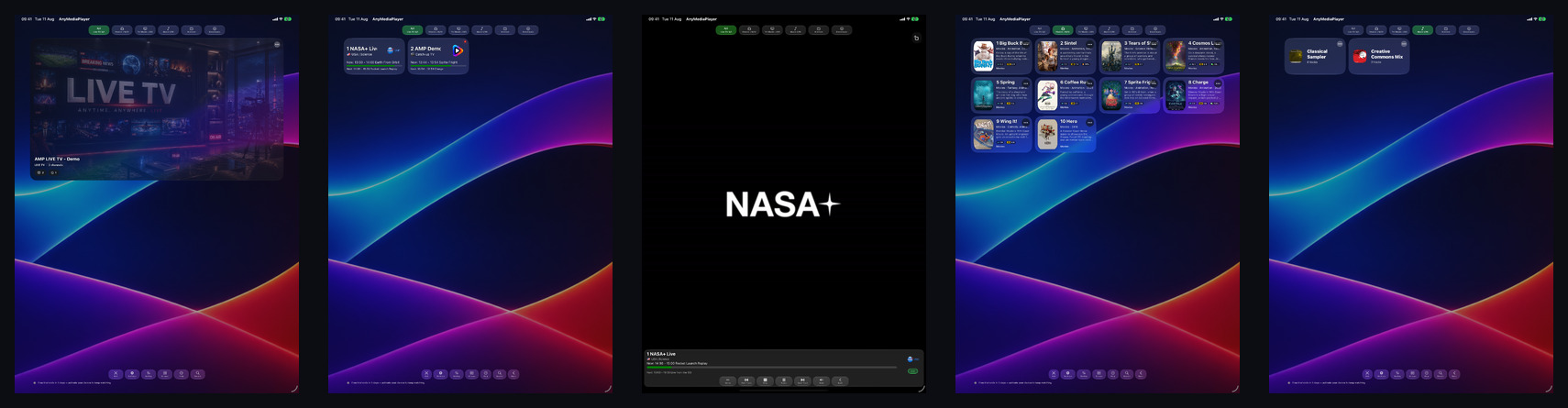
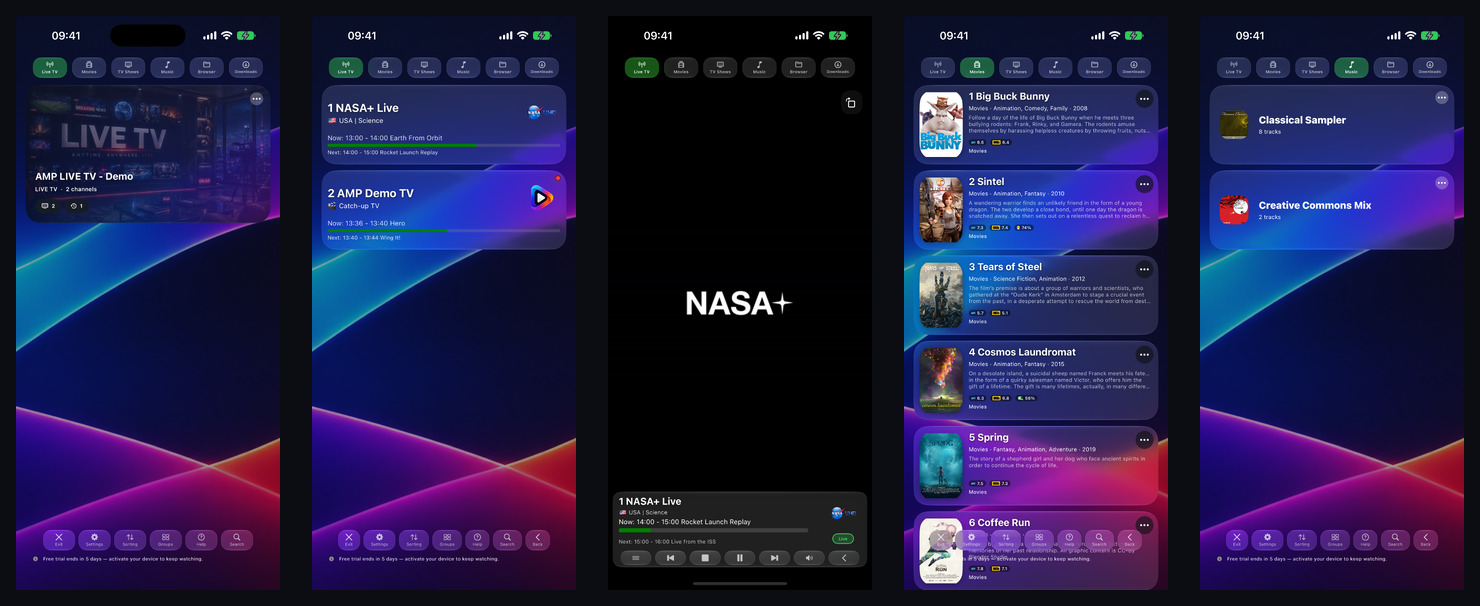
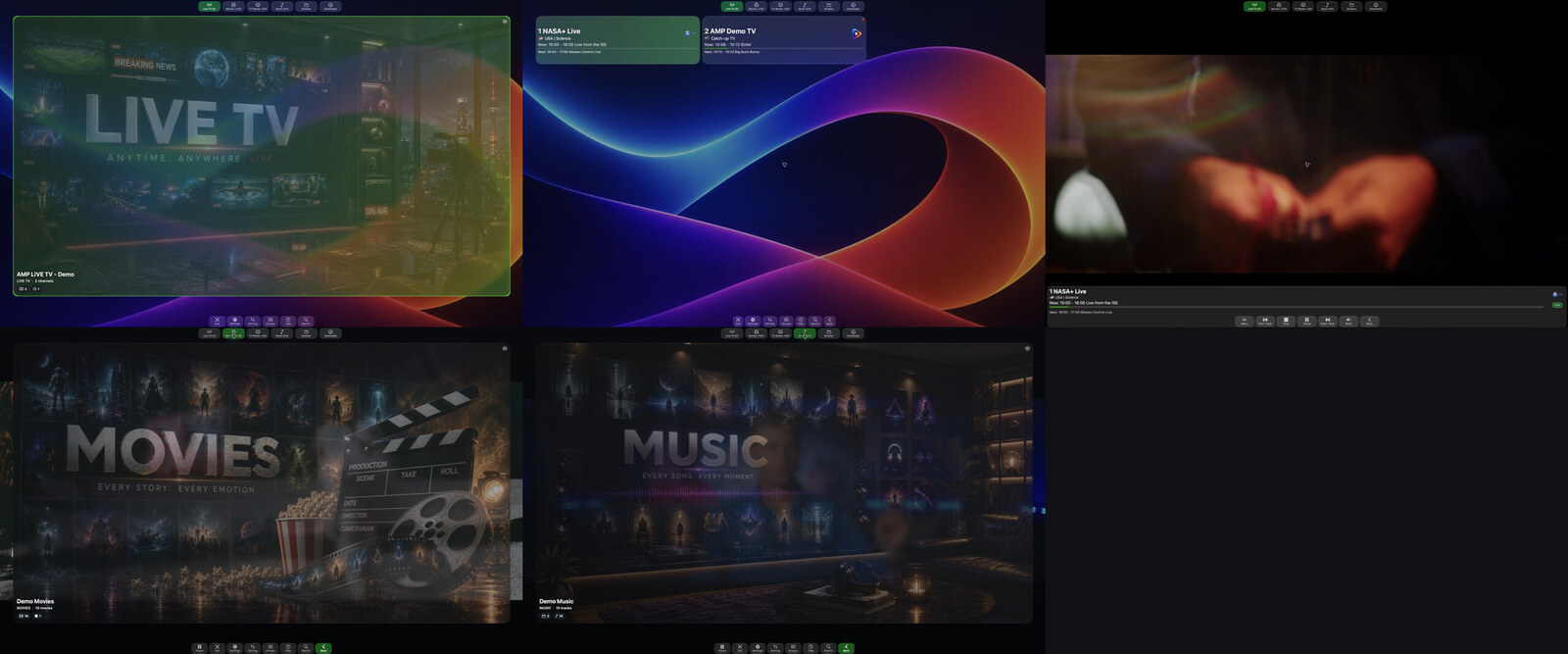
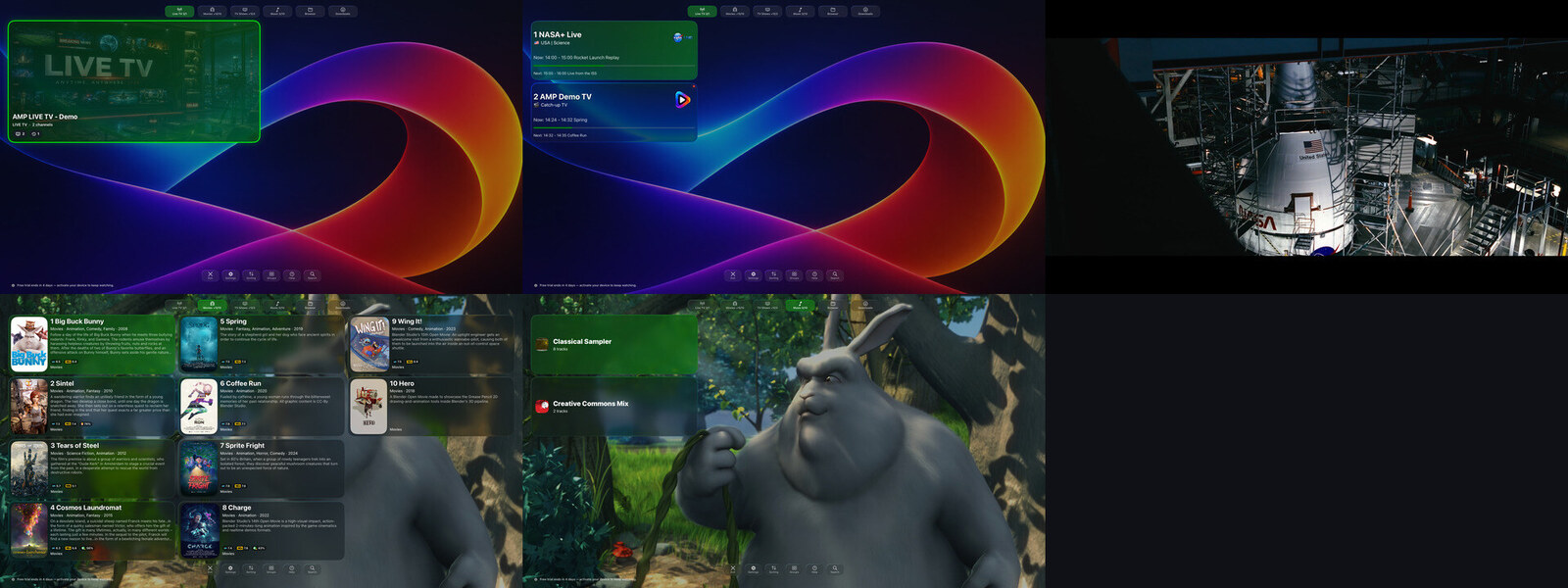
Actual AMP Pro builds shown on Mac, Apple TV, iPad and iPhone.

AMP Pro running on Mac with live TV, channel guide, movies and music views
MacA wide desktop library and playback workspace.
AMP Pro on Apple TV showing live TV, films, music and playback
Apple TVA remote-first experience designed for the television.
AMP Pro interface on iPad with live TV, guide, playback, movies and music
iPadA spacious touch interface for browsing and watching.
AMP Pro interface on iPhone with live TV, EPG, playback, movies and music
iPhoneThe full library and player adapted to a personal screen.

Platforms

Native behavior matters.

AMP Pro shares its media foundations across Apple platforms while respecting the way each device is controlled and used.

iPhone

Touch navigation, local files, offline media and mobile playback.

iPad

A larger library view with the same live, video and music foundations.

Mac

Mac Catalyst presentation for desktop browsing and playback.

Apple TV

Remote-focus navigation and living-room playback for tvOS.

Manual

Start with AMP Pro.

A practical route through the main product workflow. Exact controls can vary by device and build.

  1. 1. Choose what you want to watch or hear

    Use Live TV, Movies, TV Shows, Music, Browser or Downloads from the main navigation. Each area keeps the relevant library and playback actions together.

  2. 2. Connect your own media

    Open Browser to work with supported personal and network sources. AMP Pro supports SMB, FTP, SFTP, WebDAV and DLNA libraries, alongside local Files where the platform allows it. Enter only sources and credentials you are authorized to use.

  3. 3. Add live television

    Connect a compatible source supplied by you or your provider. Channel presentation can include programme-guide data, channel logos and metadata when those integrations are available. Catch-up behavior depends on the source.

  4. 4. Browse the library

    Use posters, available metadata, favourites, watched state, search and sorting to move through larger libraries. Available descriptions, cast details and ratings depend on the configured source and metadata integrations.

  5. 5. Control playback

    During playback, choose available audio tracks and subtitles, adjust aspect ratio and use the controls appropriate to the device. Progress and resume help you continue supported media later.

  6. 6. Keep platform differences in mind

    Local Files and offline downloads are intended for iPhone, iPad and Mac and are not promised on Apple TV. CarPlay is audio-only. Provider compatibility, network quality and the current build determine which features are available.

Before reporting a playback problem

  • Confirm the source works and you are authorized to use it.
  • Note the Apple device, OS version and AMP Pro build.
  • Record the source type or protocol without sharing passwords.
  • Include the media format and the action that failed.

Two editions. Different needs.

The full player for direct customers, and an upcoming reduced edition for operator customers.

Active development

AMP Pro

Any Media Player Pro

Audience
Direct customers
Features
Full player
EPG, channel logos, metadata
Full integrations
Media-AI
Included
Licensing
Existing Pro model

Upcoming

AMP Light

Operator edition

Audience
Operator customers
Features
Reduced operator edition
EPG, channel logos, metadata
Operator-provided
Media-AI
No Media-AI processing or requests
Licensing
Lifetime activation per device, not per account

Support

Need help with AMP Pro?

Ask about compatibility, access, troubleshooting or deployment requirements.

Downloads

Get the right release.

Public packages appear in the download centre. Customer-specific releases require an authorized account.